Post installation
Two tidy-ups, then the one thing that actually has to be done.
Tidy up the config
Open config.plist with TextEdit.
- Search for
HideAuxiliaryand changefalsetotrue— hides the extra boot entries. - Search for
boot-argsand delete-v— stops the verbose text on every boot.
Leave SecureBootModel at Disabled
Guides for other setups tell you to raise it, and for those setups they are right. Not here.
Any other value refuses to boot macOS released before that Mac model, and this repository ships images back to Yosemite. From macOS 12 the value also has to match the SMBIOS, and 101 of the configs here use a Mac model that predates the T2 chip and has no Secure Boot model at all. Apple Secure Boot additionally rejects unsigned kernel extensions, which is most of what this EFI injects.
Set ROM to your own MAC address
This is the one that is not optional. Every build ships ROM as a
placeholder, and no builder can know yours in advance. iCloud, iMessage and
FaceTime will not work until you do this.
- Go to System Settings → Network → Ethernet → Details → Hardware and read your MAC address.
- Strip the colons:
54:1A:AF:43:70:CAbecomes541AAF4370CA. - Convert that to Base64. It gives
VBqvQ3DK. - Put it in
ROMand save. - Restart, press Space at the OpenCore menu, and choose ResetNVRAM.
Your BIOS settings may reset
Check them after a NVRAM reset, before booting macOS again.
Your own serial number
A build generates its own serial, MLB and UUID, so you are not sharing one with the whole repository. But everyone who downloads the same release file does share it. If you want one nobody else has:
-
Download GenSMBIOS and open the
.commandfile. If it offers to download Python, let it. Then pick option 3.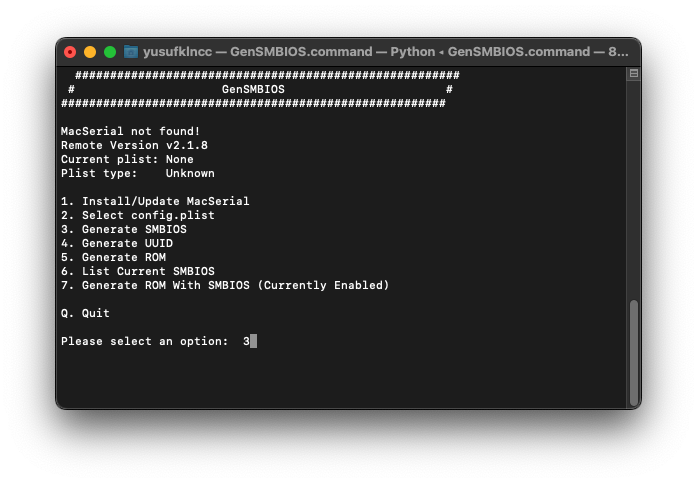
-
Enter the SMBIOS your config already uses. The builder printed it, and it is in
SystemProductName.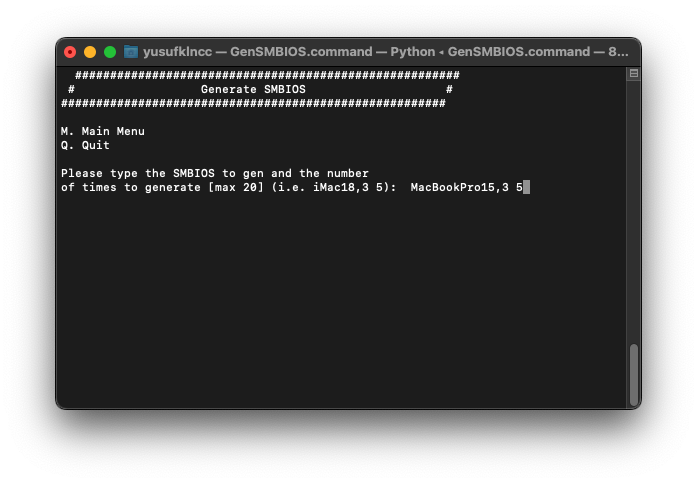
-
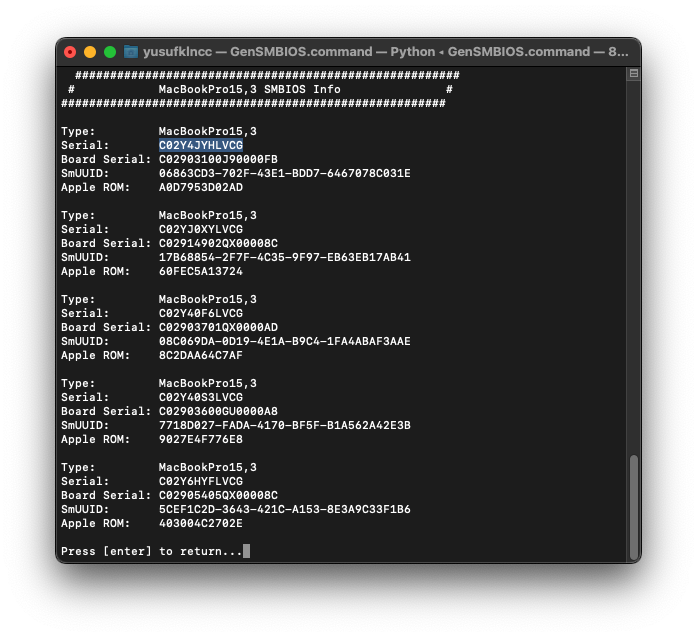
Copy the first serial.
-
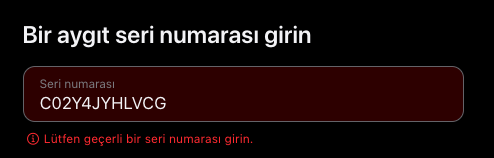
Check it with Apple. It should come back as an invalid or unpurchased serial. If Apple recognises it, use the next one — a serial that belongs to a real Mac is somebody else's.
-
Replace
SystemSerialNumber,MLBandSystemUUIDwith theSerial,Board SerialandSmUUIDit produced, then reset NVRAM as above.
If that model does not support the macOS you installed
Add -no_compat_check to boot-args.
It gets a boot past the model check; it does not carry an install through on an identity the release does not serve. Its place is after the install, once the proper identity is put back.
Now you can sign in to iCloud, iMessage and the rest.